
Table of Contents
ToggleA standing executive desk isn’t just a trendy office accessory, it’s a practical upgrade that addresses one of the biggest complaints from home workers: sitting all day. Whether you’re managing back pain, boosting energy levels, or simply reclaiming control over your workspace, a standing desk fundamentally changes how you work. The right standing desk combines solid construction, smooth height adjustability, and enough desktop real estate to actually get things done. This guide walks you through what makes a standing executive desk worth the investment, how to choose one that fits your needs, and how to set it up so your body stays comfortable whether you’re sitting or standing.
Key Takeaways
- A standing executive desk reduces physical strain by letting you alternate between sitting and standing every 30-40 minutes, breaking the cycle of prolonged static posture and improving focus and energy levels.
- Electric motor mechanisms with memory presets are the standard for executive desks, offering silent, one-click adjustments rated for 50,000+ cycles and accommodating users from 5′ to 6’6″ tall.
- Desktop size of 60 inches wide with sturdy steel or aluminum framing rated for 160+ pounds of load ensures durability and adequate workspace for multiple monitors and equipment.
- Proper ergonomic setup with elbows at 90 degrees, monitor at eye level 20-26 inches away, and flat feet on the floor or footrest prevents neck strain and wrist pain in both sitting and standing positions.
- A standing desk investment pays dividends over years through reduced back pain, improved productivity, and reliable use when paired with an ergonomic chair, task lighting, and organized cable management.
Why Standing Desks Transform Your Workspace
Sitting for 8+ hours straight creates real problems. Your hip flexors shorten, your lower back takes constant load, and blood circulation slows. A standing desk breaks this cycle by letting you alternate positions throughout the day. After 30-40 minutes of sitting, you stand for 15-20 minutes, then switch back. This rhythm reduces strain and keeps your body engaged rather than locked in one posture.
Beyond the physical benefits, standing while working increases focus and energy. Studies consistently show that alternating between sitting and standing boosts productivity and reduces afternoon crashes. You’re also more likely to move, reaching for something, shifting your weight, or taking a step, rather than staying completely static. The psychological shift matters too. Standing feels active. Sitting all day feels passive, even if you’re working hard.
The executive-grade standing desk is built for long-term use. Unlike budget models that wobble or fail after a year, a quality standing desk has sturdy framing, stable legs, and a motor or mechanism rated for thousands of adjustments. This durability means your investment pays dividends over years, not months.
Key Features to Look for in a Standing Executive Desk
Not all standing desks are created equal. When shopping, focus on three non-negotiables: height range, stability, and desktop surface quality.
Height Adjustment Mechanisms
Standing desks use three main adjustment systems: manual crank, pneumatic gas spring, or electric motor. Manual crank desks are budget-friendly but require physical effort each time you adjust. You’re cranking by hand, useful if electricity isn’t available, but tedious if you switch positions multiple times daily. Pneumatic desks use a gas spring to reduce the effort needed to adjust, sitting between manual and electric in cost. They’re smoother than cranking but less convenient than push-button adjustments.
Electric motor desks are the standard for executive setups. A single press or preset button moves the desk up or down silently in seconds. Most modern models include memory presets, you save your sitting height and standing height, then recall them with one click. Look for a motor rated for at least 50,000 cycles, that’s roughly 5-7 years of daily adjustments. The desktop should move smoothly without wobbling as it extends upward. A quality range runs from about 22-30 inches (sitting height) to 42-48 inches (standing height), accommodating users from 5′ tall to 6’6″ without modification.
Also verify the motor is quiet. A loud hum disrupts conference calls and focus. Reputable brands keep noise below 50 decibels, quieter than a dishwasher.
Desktop Size and Materials
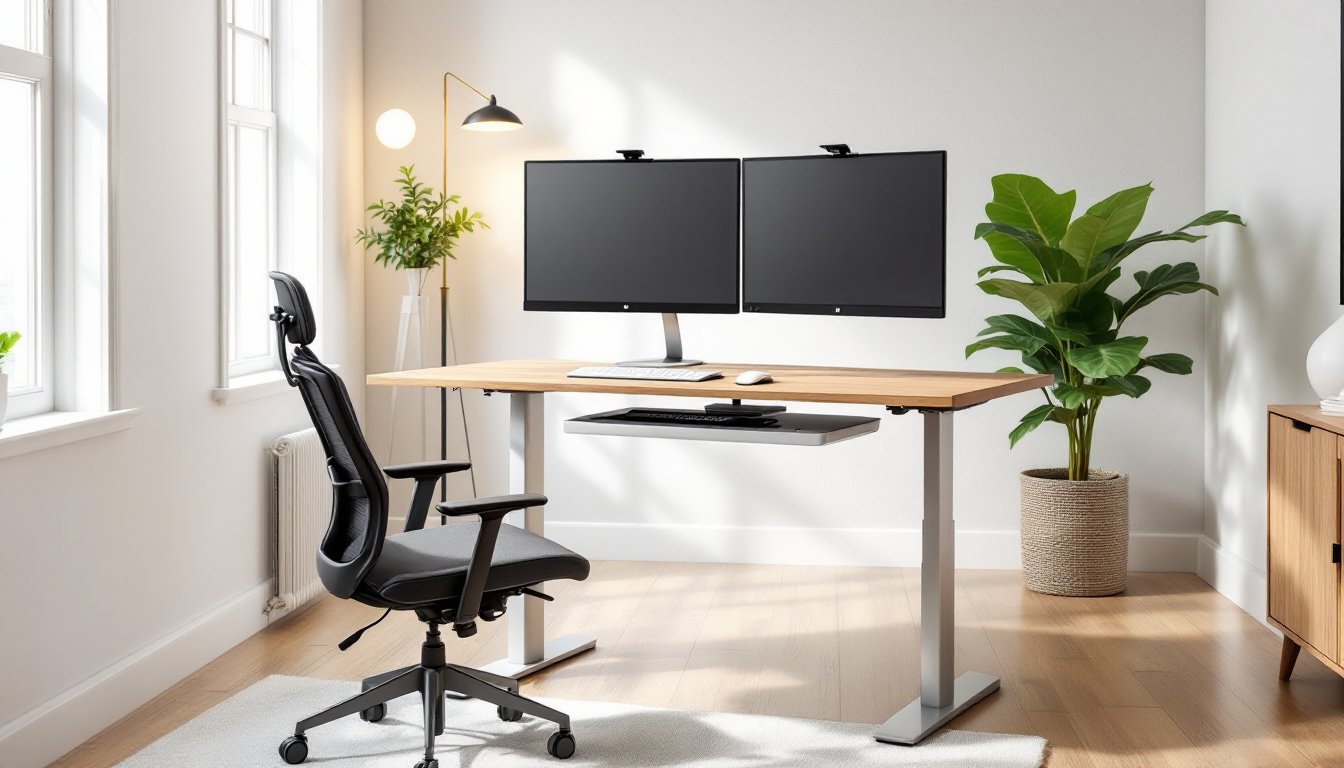
Executive desks typically come in 48-72 inches wide and 24-30 inches deep. Smaller surfaces feel cramped if you’re managing multiple monitors, documents, or equipment. A 60-inch width gives comfortable space for two monitors, a keyboard, mouse, and work materials without clutter.
Desktop material affects both durability and feel. Laminate tops are affordable and easy to clean, resisting scratches and spills well. Solid wood (bamboo or oak) looks professional, feels nicer, and ages beautifully, though it costs more and requires occasional oiling. Engineered veneer over MDF splits the difference, good appearance, decent durability, moderate cost. Whatever material you choose, verify it’s rated for at least 160 pounds of distributed load, enough for monitors, peripherals, and work materials without sagging. The base frame should be steel or high-grade aluminum, not plastic components prone to cracking under repeated stress.
Setting Up Your Standing Desk for Optimal Ergonomics
Getting the height right makes the difference between comfort and pain. When standing, your elbows should bend at roughly 90 degrees with your arms relaxed at your sides. Your wrists should stay neutral (not bent up or down) as you type. Measure from your elbow to your fingertips while standing naturally, that’s roughly your ideal desk height, though you may fine-tune it by 1-2 inches based on how it feels.
Your monitor should sit at eye level when you’re standing. If it’s too low, you’ll crane your neck forward. Too high, and you’ll tilt your head back. Position the screen about 20-26 inches from your eyes, an arm’s length away. Use a monitor arm or stand to adjust height independently of the desk. Your keyboard and mouse should sit on the same plane without your wrists flexing.
When sitting, recheck these measurements. Your chair height affects everything. Most office chairs are adjustable: get your feet flat on the floor or footrest, thighs parallel to the ground, then adjust the desk height so your elbows stay at 90 degrees. You may discover that one single height doesn’t work for both sitting and standing perfectly, that’s normal. Choose the height that feels right when standing (since that’s the new emphasis), then accept a slight compromise when sitting, or use a footrest to tweak your seated posture.
Take breaks from both positions. Standing for 8 hours straight defeats the purpose. Aim for a 30-40 minute standing block, then sit for 20-30 minutes, and repeat. Use calendar reminders if needed, your body will resist the change at first, but the rhythm becomes habit within 2-3 weeks.
Maximizing Your Home Office with a Standing Desk
A standing desk works best as part of a complete setup. Pair it with an ergonomic office chair that supports your back and allows your feet to rest flat when seated. Don’t cheap out on the chair, you’ll spend thousands of hours in it. Look for chairs with adjustable lumbar support, armrests, and seat height. A footrest helps when standing, reducing stress on your lower back by giving your feet a place to rest weight alternately.
Lighting matters more than most people realize. Position your desk perpendicular to windows (not facing them directly, which causes glare) and supplement with a task lamp behind your monitors to reduce eye strain. Poor lighting causes headaches and fatigue, even if your desk height is perfect.
If you’re building a DIY standing desk from scratch, resources like Ana White and The Handyman’s Daughter offer free furniture plans and woodworking tutorials for custom desktop builds. You can also source individual components, desktop, frame kit, and motor separately, and assemble them yourself, which often costs 30-40% less than pre-assembled models. Just verify that frame and motor are compatible and that the desktop material is sturdy enough for your needs.
Add cable management to keep cords out of sight and away from your feet when standing. Adhesive clips, sleeves, and under-desk trays organize power cords, USB cables, and audio lines. Clutter on or around your desk creates visual stress and wastes mental energy. A clean workspace, paired with a standing desk’s mobility, reinforces focus and reduces decision fatigue throughout your day.
Conclusion
A standing executive desk is one of the highest-ROI upgrades you can make in a home office. It addresses posture, boosts energy, and adapts to your changing needs as your body and work habits evolve. The investment pays for itself in reduced back pain, better focus, and years of reliable use. Choose one with a smooth electric motor, stable frame, and a desktop that suits your work style, then set it up with care to your body’s actual dimensions. Your home office, and your back, will thank you.