
Table of Contents
ToggleA standing desk isn’t just furniture, it’s an investment in how you work. Whether you’re combating the stiffness that comes from sitting all day or redesigning your home office for better ergonomics, a standing desk setup requires more thought than simply swapping out your old desk. Getting it right means considering your desk base, accessories, layout, and budget. This guide walks you through every decision so you can build a standing desk setup that actually works for your body and your space.
Key Takeaways
- A standing desk setup requires investing in the right base, monitor positioning, and accessories—not just switching desks—to truly improve comfort and reduce spinal strain from prolonged sitting.
- Electric adjustable desks with memory presets ($400-1,200) make frequent position changes easier than manual crank models, but budget-friendly alternatives like desk convertors ($50-200) can help you test standing work before committing.
- Proper ergonomic setup demands your monitor at eye level, elbows at 90 degrees, and an anti-fatigue mat under your feet—missing any of these elements is a leading cause of standing desk abandonment.
- Transition gradually to standing work by starting with 15-20 minutes per session and building to 30-45 minutes over 2-3 weeks to avoid soreness and let your body adapt.
- Common mistakes like incorrect desk height, monitor distance beyond arm’s length (20-26 inches), and static standing without weight shifts undermine the health benefits of a standing desk setup.
Why Invest in a Standing Desk Setup
Sitting for eight or more hours daily puts strain on your spine, hips, and shoulders. A standing desk setup allows you to alternate between sitting and standing throughout the day, reducing that cumulative load. Most ergonomics research suggests alternating every 20-30 minutes, about 30 minutes standing, 30 minutes sitting works well for many people.
Beyond physical comfort, many users report improved focus and energy during the standing portions of their workday. Your desk height, monitor position, and accessory choices directly affect whether you’ll actually use the standing feature or abandon it because it’s uncomfortable.
Before investing, be honest: are you buying a standing desk because you genuinely want to alternate positions, or because it looks modern? If you know you’ll stand only occasionally, a static standing desk may waste money better spent on an ergonomic chair and proper desk arrangement. The commitment matters.
Essential Components of a Standing Desk Setup
Desk and Base Options
You have two main paths: an electric adjustable desk or a manual crank model. Electric desks offer smooth height adjustment with memory presets, you can save your sitting height (around 28-30 inches) and standing height (around 42-46 inches) and switch with a button. Manual crank desks are cheaper but require physical effort every transition, which discourages frequent switching.
Desk surface material varies: solid wood, engineered wood (MDF or particleboard with veneer), or laminate. Solid wood is durable and ages well but costs more. Engineered wood is lighter and cheaper but can sag under monitor weight over years. Most setups use a 4-6 foot width, which gives enough space for dual monitors and a keyboard without feeling cramped.
Check the base’s load capacity, standard desks handle 100-150 pounds comfortably. If you’re mounting multiple monitors, a printer, and a dock, add it up. A single monitor with arm weighs 10-15 pounds: each additional monitor adds another 10 pounds.
Ergonomic Accessories That Matter
Your monitor arm deserves real attention. A single monitor arm ($40-80) frees desk space and lets you position the screen at eye level, top of the screen should align with your eyes when you’re standing upright. This prevents neck strain. Dual monitor arms cost more but maintain the same principle.
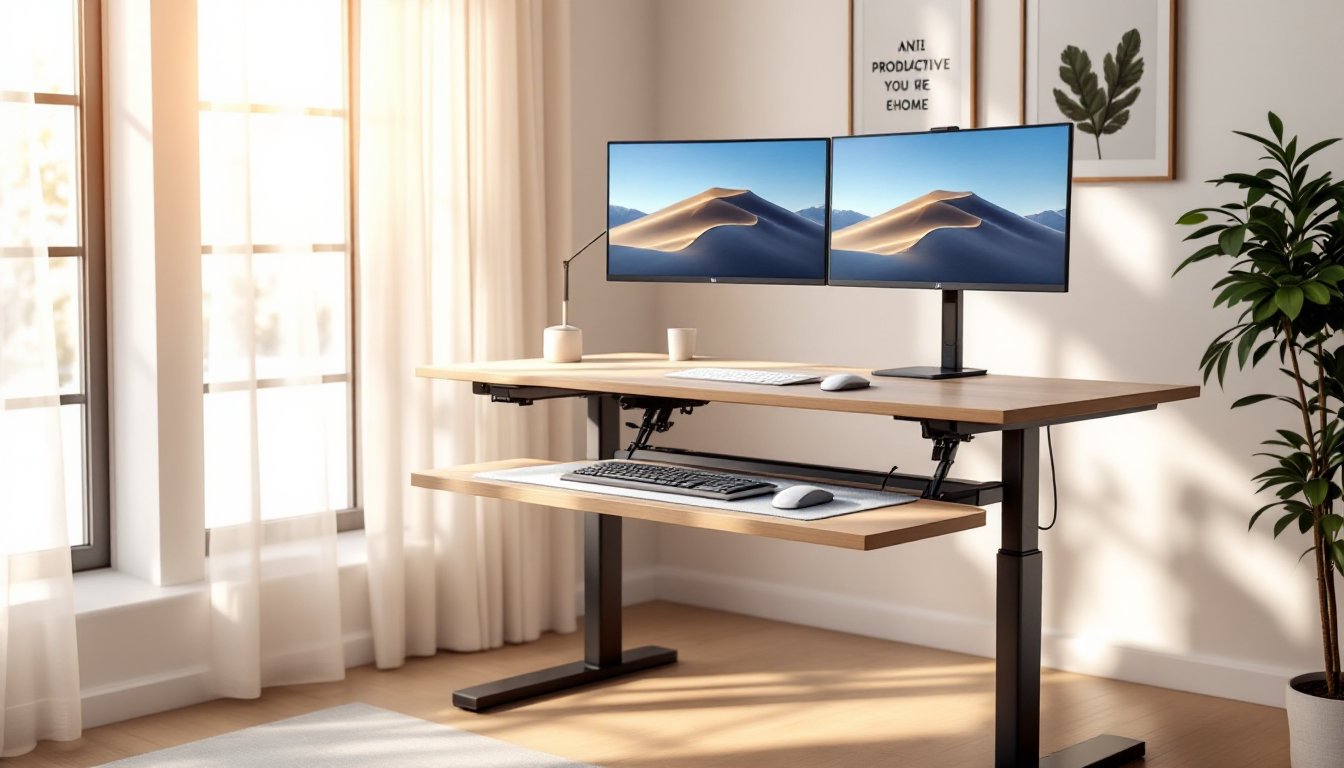
A keyboard and mouse pad (or keyboard tray) keeps wrists neutral, not bent up or down. Your elbows should sit at roughly 90 degrees when typing. An anti-fatigue mat (around $50-100) reduces leg and foot strain during standing sessions: the slight cushioning matters more than you’d think after an hour on your feet.
A monitor riser or arm eliminates the need to hunch toward your screen. If you’re using a laptop, a laptop stand plus external keyboard and mouse setup is essential, never type directly on a laptop keyboard while standing or sitting. Your forearms need support. Consider a desk convertor or standing desk shelf ($30-80) if you want to test standing work before buying a full adjustable desk.
How to Arrange Your Standing Desk for Maximum Comfort
Start with your monitor height and distance. Sit or stand naturally, looking straight ahead, your eyes should land in the upper third of the screen. Adjust your monitor arm so the top of the monitor is at or slightly below eye level. Position it arm’s length away (roughly 20-26 inches).
Next, set your keyboard and mouse. Your elbows should sit at 90 degrees with shoulders relaxed. If your desk is too high, your forearms angle upward (wrist strain): too low, and you hunch (shoulder and neck strain). Many standing desks are adjustable, so test both sitting and standing heights and mark them. When standing, your wrists should be neutral, not bent back or forward.
Lighting matters. Position your desk perpendicular to windows if possible, avoiding glare on your monitor. A task lamp ($20-50) for evening work prevents eye strain. Document any glare issues, they’re often the culprit when people say standing doesn’t feel better.
Footrest or mat placement is subtle but important. Position your anti-fatigue mat directly under where you stand. Shift your weight slightly while standing, this engages smaller stabilizer muscles and prevents the locked-knee fatigue that makes standing feel exhausting. Resources like Ana White’s furniture building guides can help you understand desk dimensions and ergonomic spacing if you’re considering building your own standing desk setup.
Budget-Friendly Standing Desk Solutions
A full electric adjustable desk runs $400-1,200 depending on build quality. If that’s out of reach, start smaller. A standing desk convertor ($50-200) sits on top of your existing desk and raises your keyboard and monitor to standing height. You can’t adjust it once set, but it’s a low-risk way to test whether standing work feels right for you.
Another budget path: buy a manual crank desk or a cheaper electric model ($200-400) and add accessories over time. Buy the anti-fatigue mat and monitor arm first, those deliver the most comfort improvement per dollar.
Wood and hardware options matter for budget builds. Solid wood desks cost more upfront but last longer. Particleboard with veneer is cheaper but can sag in 3-5 years if heavily loaded. Check return policies: a desk that feels wrong after two weeks of use is an expensive mistake.
If you’re building your own desk surface, perhaps mounting a reclaimed door or plywood on adjustable legs, resources like Instructables’ detailed DIY tutorials provide plans for custom builds that can cost under $200 in materials. You’ll need basic tools (circular saw, drill, level) and a few hours. This route requires more work but gives you exactly the size and height you want.
Common Standing Desk Setup Mistakes to Avoid
Adjusting height wrong: The most frequent error is setting standing height too high or sitting height too low. Your arms shouldn’t reach up or compress down to use your keyboard. Test both heights for at least one full workday before finalizing.
Forgetting the anti-fatigue mat: Standing on hard flooring for hours creates foot and lower leg pain. Even a cheap ($30) mat helps by providing slight cushioning and encouraging small weight shifts. This single addition often determines whether someone sticks with standing or abandons the desk.
Placing monitors too close or far: A monitor 24 inches away is standard: closer causes eye strain, farther causes you to lean forward. If you find yourself squinting or moving your head to read text, adjust the distance or font size.
Skipping the transition period: Your legs, feet, and lower back need time to adapt to standing. Start with 15-20 minutes of standing per session, building to 30-45 minutes over 2-3 weeks. Jumping into four hours of standing on day one causes soreness and discourages continued use.
Overloading the desk: A standing desk with poor-quality legs will wobble if you stack monitors, printers, and speakers on it. Know your base’s load rating and distribute weight evenly. Heavy items on one side cause tilt and instability. For a deeper jump into setting up workspaces, Fix This Build That’s workshop setup guides cover tool arrangement and workstation ergonomics that apply equally to standing desks.
Neglecting leg circulation: Standing in the same position is almost as limiting as sitting. Shift your weight, rock slightly, or step side to side while working. This keeps blood flowing and prevents the heaviness that static standing creates.